Your morning brief.
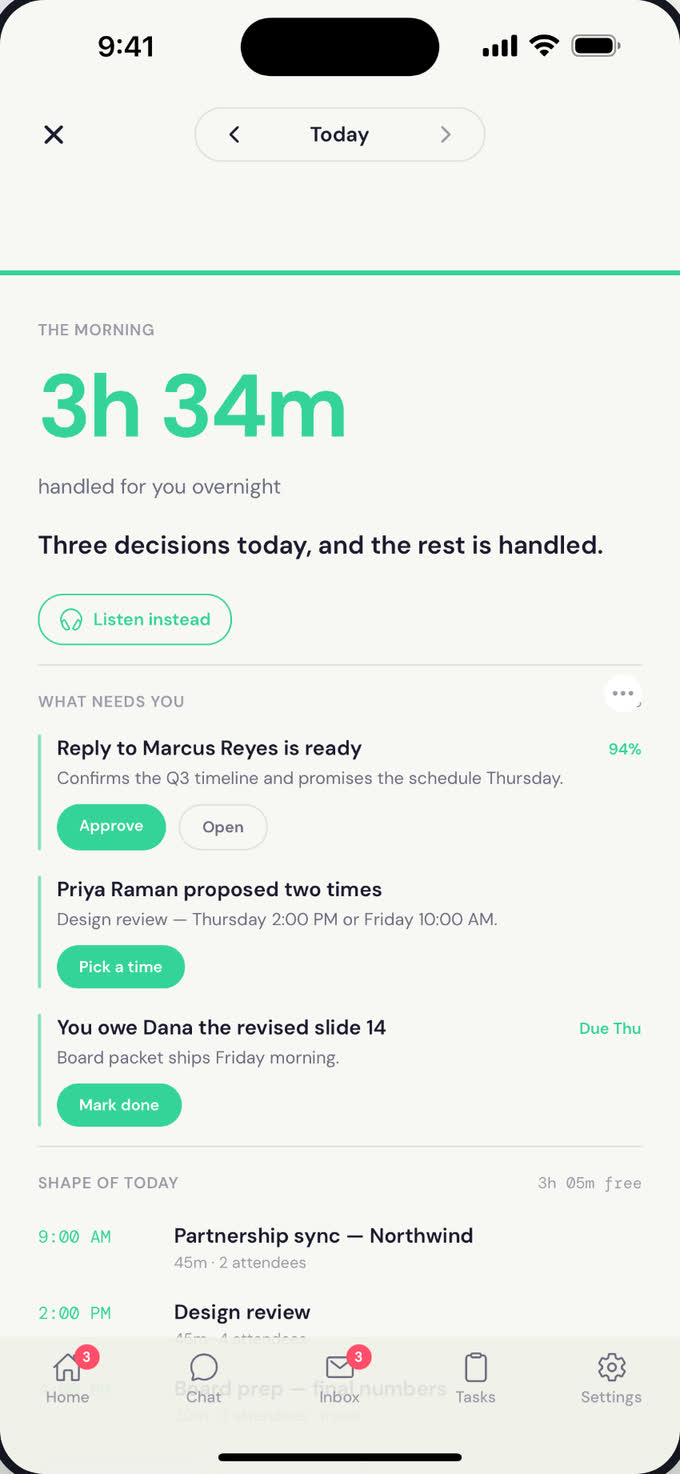
A short, focused read every morning: inbox, calendar, weather, commute, and what Atona handled overnight. Delivered before you're out of bed.
In this guide: what's in the brief, how to customize it, and the evening recap.
What it does
Every morning, Atona reads everything that happened overnight, decides what matters, and writes you a short brief. No firehose, no notification spam — just the things you need to know to start the day.
You can also opt into an evening recap: a short read at the end of the day with what got handled, what's outstanding, and what tomorrow looks like.
- 72° and clear. 18-minute commute to the studio.
- Three meetings. Your 10 a.m. moved to 11 — Sarah had a conflict.
- 4 replies sent overnight. 2 drafts waiting for your call.
- Alex confirmed dinner Friday at 7. Added to your calendar.
Try saying
The brief is configurable in plain language.
Brief me before 7 every morning.
Add commute time and weather to my brief.
Skip tomorrow's brief — I'm off.
Send me an evening recap too.
How it works
Atona reads everything overnight
Inbox, calendar, anything that came in across every channel. Sensitive content is filtered out before any AI sees it.
It decides what matters
Not everything is briefable. Atona picks the items that need your attention or change how your day looks.
It composes the brief
Short, scannable, in your voice. Weather, calendar, inbox highlights, what got handled, what needs your call.
It lands on your schedule
By email, push notification, or both — whenever you've asked for it. Most people get it before they're out of bed.
What you control
Time
When the brief lands. Different on weekdays vs weekends if you want.
Sections
Add or remove weather, commute, flights, meetings, inbox highlights, action items.
Channel
Email, push notification, or both. Whichever you'll actually read.
Evening recap
Optional end-of-day read with what got handled and what tomorrow looks like.
What Atona will not do
- Include sensitive content in the brief — banking, medical, legal, identity. Those stay in your inbox, untouched.
- Page you for non-urgent items. The brief is a planned read, not a notification stream.
- Send the brief during your do-not-disturb hours.
- Spam you with low-signal noise. If there's nothing to say, the brief is short.
Common questions
What's actually in the brief?
Whatever you've asked for. Defaults are: weather, commute, today's calendar, anything Atona handled overnight, drafts waiting for your call, and any urgent action items. You can add or remove any of these.
What about weekends?
You can set a different time, a shorter format, or skip weekends entirely.
Can I get an evening one too?
Yes — opt into the evening recap and you'll get a short end-of-day read with what got handled and a preview of tomorrow.
What if there's nothing to report?
The brief is short. Atona won't pad it with filler — if there's nothing to say, it just says good morning and gets out of your way.
Where does the brief come from?
Your dedicated assistant email address — same as the rest of Atona's outbound mail.
Related guides
Ready to try Atona?
Atona is invite-only while we onboard in small batches. Request access with an invitation code, or tell us what you need and we’ll review it.
Already have access? Sign in · Android in beta.